For authors, publishers and professional practices
The files you deliver build themselves as you write
Write, save, export: that's how it's been done since the Eighties. Here the last step is gone — when you save, the print PDF and the store ePub are already there, and all that's left is to share them. One app instead of four, on your own computer, with no subscription.
For professionals and teams
Video call and document, together
Connect, see your client face to face, talk over the same document and edit it together. Then sign it with legal value — ready to hand over. No Meet + Docs: it's all inside PressWork.
Explore the softwareOne editor, every kind of writing
Novel or screenplay, contract or report: you write, PressWork formats it for you. Here's how it really looks, in version 4.3
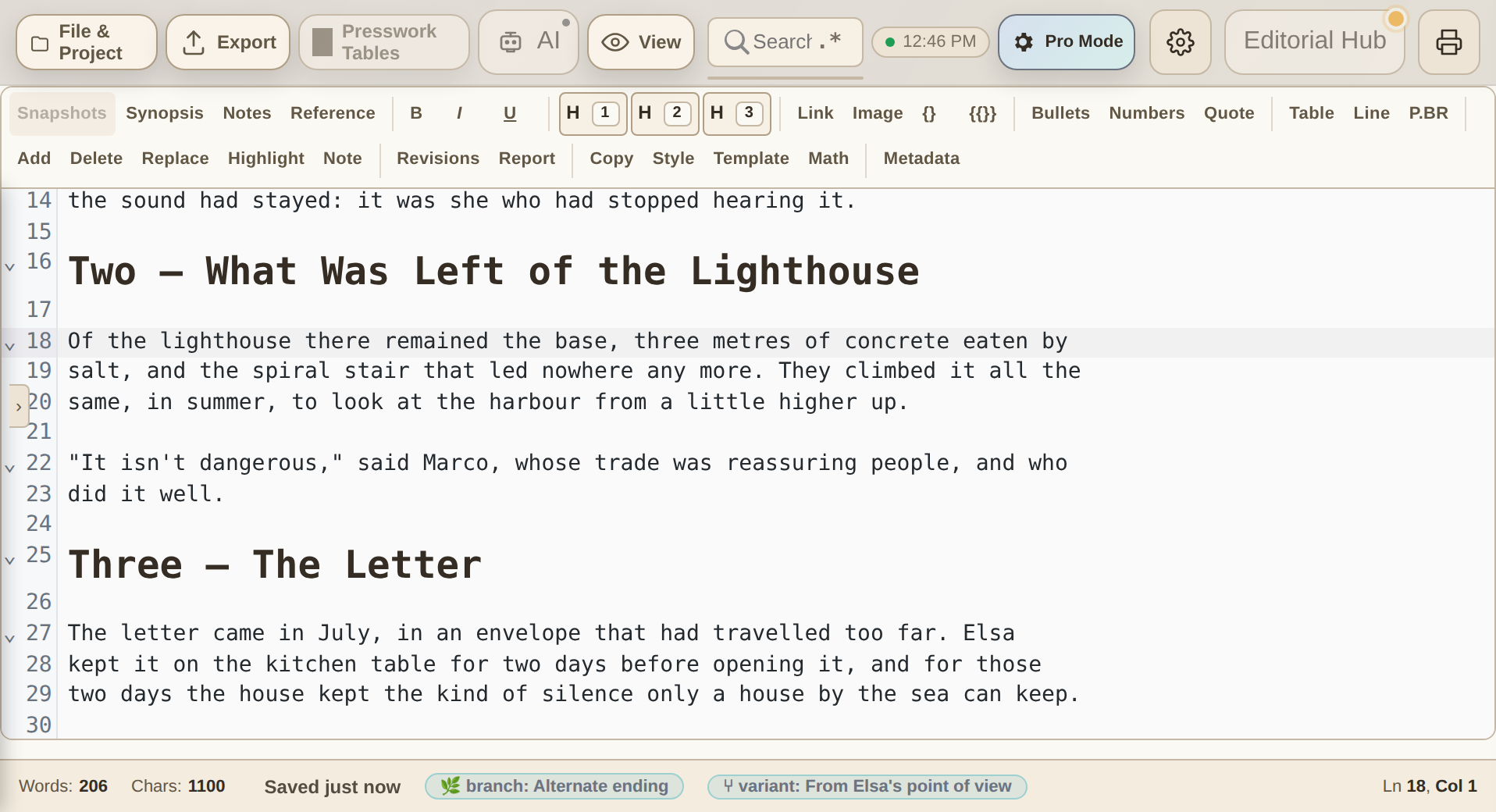
Write your book with live preview: bold, headings and quotes take shape in the text itself, no separate panels. And at the foot, the status bar always tells you which branch and which variant you're writing in.
PressWork Mobile: write anywhere, pick up where you left off
PressWork will always be with you, on your phone or tablet — and what you write there is the same document you reopen at your desk. It isn't syncing: it's the same file. Included in Complete and Team, existing owners too.
Discover PressWork Mobile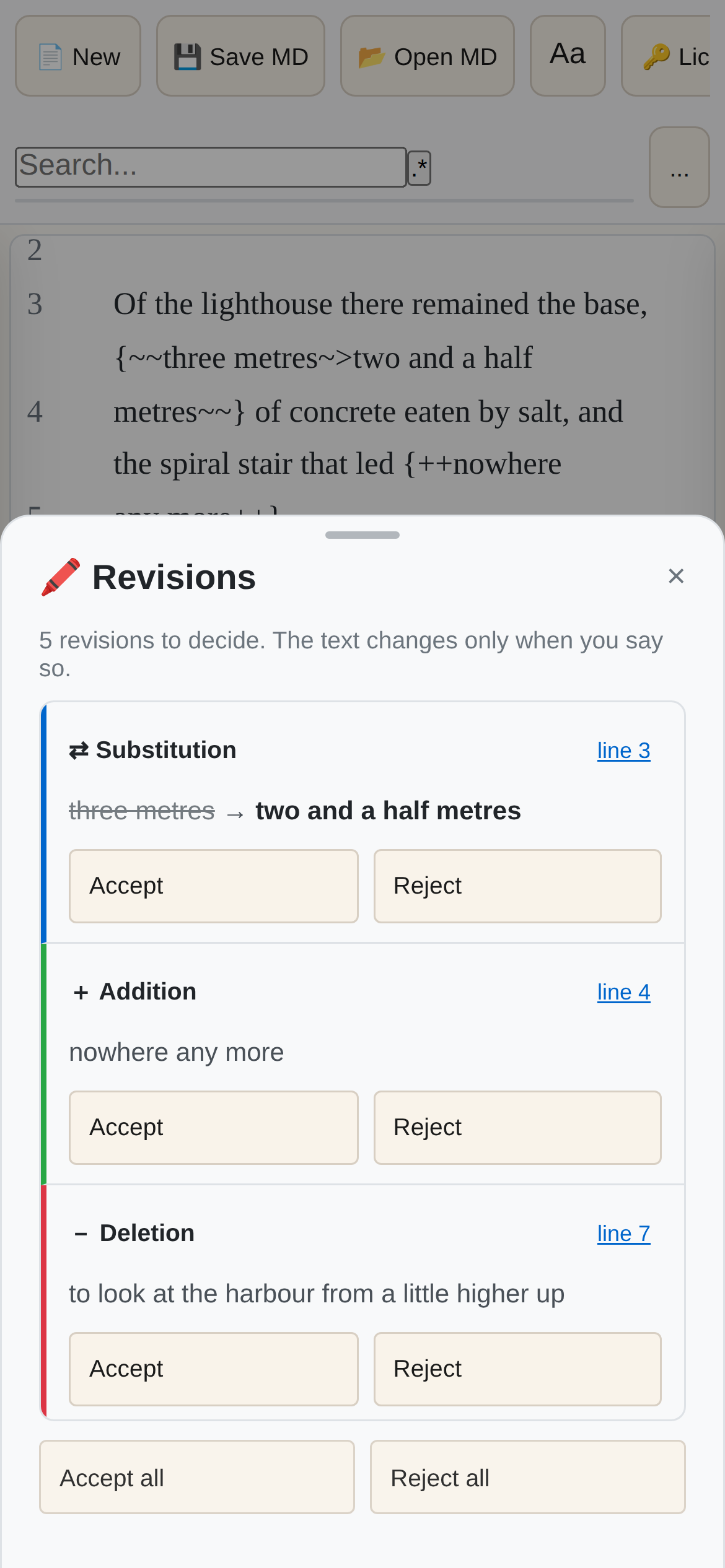
PressWork 4.5
Two things we're working on. No date: when there is one, we'll say so.
Open a document with a double click
From your operating system, like any other file. Double-click a .pwk and PressWork opens straight inside that project.
Coming from Notion or Obsidian?
An importer that brings in a whole folder of Markdown files, with the settings already set up for where you're coming from.
The latest updates
The tidying-up release: in come the things that matter to anyone writing against a deadline.
Deadlines in the Table
Set a delivery date in Goals and the Table footer does the arithmetic that counts: how many days are left, how many words a day it takes. No calendar, no reminders — and once you've hit the goal it goes quiet.
The assistant tells the two languages apart
Writing in English with the app in Italian? The explanations come in Italian, the prose stays in English. It talks to you in the app's language and writes in the book's.
Write together, face to face
You connect, you see the document and you see the other person on video. You discuss it, edit it together in real time, sign it — ready for the client. And the text never leaves your computer.
Explore the software →For editors, professionals and teams
- →Video call and document in the same window
- →Simultaneous editing: watch each other's cursor move
- →Fully local: no text uploaded to any server
- →Legal signing and delivery, without switching apps
Whether you write or manage, there's a path for you.
Author, professional studio or simply someone who writes: start from where you are.
Are you an author or screenwriter?
You write novels, screenplays, or non-fiction that must become professional books or scripts. You need a flow that goes from draft to certified file for Amazon, ePub, and Final Draft.
- FDX (Final Draft) export with full metadata
- Validated ePub 3.3 for Kindle and stores
- KDP Dashboard — PDF/X and ePub in one click
- 7 offline AI tools: Blurb, Synopsis, ePub Metadata and more
- Fountain screenplay mode
- PDF/X-4 with signature & timestamp
Are you a professional or operational studio?
You handle contracts, invoices, reports, and assessments. You need a flow that goes from Excel data to batch-signed documents, without touching any external site.
- Batch PDF signing in one click
- Excel Hub: one document per row, exported in bulk
- Built-in grid with bar/pie charts
- Analytics dashboard and predictive algorithm
- Every file signed with RFC 3161
Just writing?
A journal, a thesis, notes, stories in a drawer: you don't have to publish anything to deserve a serious editor. Write without distractions, and your texts stay yours, on your computer.
- Focus mode and writing goals with progress
- Multilingual spellcheck via system dictionaries
- [[wiki]] links and full-text search across documents
- Word export and print (from the Base plan)
- Templates for letters and documents
Choose your plan
Lifetime license, no subscription: pay once and it's yours
Free
- Full editor: revisions, focus mode, goals and statistics
- Unlimited local saving, no account
- Word/ePub export, signing and AI: on paid plans
Compare all the features
- No expiry: try it as long as you like
- PDF export (watermarked) and HTML
Base
To write, export to standard formats and sign with legal validity.
- Everything in Free, without the watermark
- Word (DOCX), ODT, standard PDF and ePub export
- Built-in local AI, offline
Compare all the features
- Single digital signature with RFC 3161 timestamp
- Multilingual spellcheck, templates and print
Complete
All of PressWork: professional exports, KDP, Tables, collaboration and batch signing.
- Everything in Base
- Includes PressWork Mobile (€24.99 value) — even if you bought before release
- Professional exports: PDF/X-4, FDX, ICML, ODT
Compare all the features
- KDP Dashboard and Amazon technical validator
- 7 offline AI editorial tools (Blurb, Synopsis, Metadata, Consistency...)
- Full Tables: two-way Excel hub, one document per row, charts
- Batch PDF signing in one click
- P2P collaboration: video call and document together
- Advanced analytics: repetitions, filler words, predictions
- Priority support
Team
- 5 PressWork Complete licenses
- Includes PressWork Mobile (€24.99 value) for each of the 5 licenses
- Batch PDF signing for the whole team
Compare all the features
- Save €196 versus 5 single licenses
- Single invoice in the company's name
- Simplified license management panel
- Priority support
Ideal for newsrooms, professional studios, and work teams.
Your AI assistant, connected to your projects
Claude, Codex or Gemini read your work read-only, on your computer. You ask:
«Claude, compare the open chapter with the character sheets.»
«Codex, compare two versions of this contract.»
«Summarise the meeting points from my notes.»
Available in the Complete plan.
No subscriptions: pay once, it's yours. Free updates for the whole 4.x series, 50% loyalty discount on future major releases. Already own Editorial or Pro? Your plan becomes Complete, free of charge.
The assistant you choose, reading your work — not a copy-paste
PressWork organizes your work into projects, chapters, notes and research. From there you can take two roads, and both are yours: the built-in AI running on your computer, or the assistant you already use, connected read-only to your real project.
- Local models inside PressWork, zero setup
- The text doesn't leave your computer: this is the fully offline lane
- Works with no internet, on a train as in the newsroom
- For unpublished manuscripts, contracts and expert reports
- Claude, Codex, Gemini or any MCP-compatible assistant
- One click, and PressWork writes the configuration itself
- It reads your real project — chapters, notes, statistics — not a copy-paste
- Read-only: it reads, it doesn't write, and it touches nothing
PressWork sends nothing to servers of its own: the connector is local and read-only. What it reads is processed by the service of the assistant you chose, according to that service's own settings and terms. Assistants may have their own tools for accessing files on your computer: what they do with those depends on how you configured them, not on PressWork.
You choose the assistant. The work stays yours.
Simple production, professional results
The .pwk document
A .pwk file is not a flat document: it is a smart folder that holds the text, full checkpoint history, all branches, and the generated outputs. Open it on any computer and find everything in place — nothing to rebuild.
The end of the Export button
Since the Eighties the routine has been the same: write, save, export. PressWork removes the last step. On every save it builds PDF, ePub and DOCX in the background: there is no moment when you export, because the finished file already exists. It's a change of paradigm, not one more feature — all that's left for you is to share it.
Branches: explore without risk
Create a branch to try an alternative direction — a different tone, ending, or structure. The main trunk stays untouched. When you are satisfied, promote the branch with one click.
Professional eBook Validator
Publish with confidence. The system checks your book for device compatibility (Kindle, iPad) and fixes technical errors for you.
Authorship Seal
For authors it proves the novel is theirs; for professionals it’s a timestamp on a contract. Sign and date-certify in one click.
In 9 languages, really
Full interface in nine languages — including Arabic and Hebrew, written right-to-left — and a user manual translated in all nine. Not the usual English with a translated menu.
Truly lightweight
Runs on a 2016 laptop with 4 GB of RAM. Every technical choice is tested on machines from 2013 onwards: no new hardware required.
0 contracts signed in 0 seconds.
Select a folder. Press sign. Presswork applies RSA digital signature and RFC 3161 timestamp to every document — one by one, automatically.
Discover PressWork Complete →Who uses it every day
- →Lawyers & notaries: deeds and powers of attorney in bulk
- →Accountants: monthly invoices and declarations
- →Agencies: seasonal freelance contracts
- →Publishers: author and distributor agreements
What you need
| What you need | Common editors (Word/Cloud) | Presswork software | Plain English |
|---|---|---|---|
| Document privacy | Data scanned in the cloud | Files only on your PC, in an open format | → No uploads: your texts stay readable even without PressWork, zero lock-in. |
| Projects/Excel management | Manual data entry | Dynamic table mapping | → Import an Excel sheet and generate custom PDFs for each row. |
| Copyright protection | Requires external software | Signature & certified date included | → RFC 3161 = legal proof that the document is yours from that date. |
| Amazon publishing | Risk of file rejection | Anti-error validation | → The KDP validator checks before you upload, not after the rejection. |
| Speed on large files | Slowdowns and crashes | Instant (Rust engine) | → 500 pages open in under a second. |
Frequently Asked Questions
What does it mean that export no longer exists?
In Presswork, your project is a Bundle. Instead of creating separate copies for each format, the software automatically updates Kindle, PDF, and Web files every time you write. It is like having a real-time assistant preparing each package for you.
Where do my documents go? Are they safe?
Unlike Word Online or Google Docs, Presswork never saves anything on the internet. Your files stay exclusively on your computer. Nobody, not even us, can read what you write. It’s the safest solution in the world for intellectual property and professional secrets.
Do I need to be a tech expert to use it?
Absolutely not. Presswork is designed to do the heavy lifting for you. You just write; the app handles margins, fonts, formatting, and technical codes. If you can use a normal text editor, you can use Presswork.
Can I still collaborate with people who use Word?
Absolutely. You can import Word files to clean them up and turn them into professional documents, or export your work in Word format to share with people who don’t use Presswork yet.
Does it work without internet?
Yes. Presswork is a native software that lives on your PC. You can write on a plane, in the mountains, or on a train without losing access to AI features or layout tools.
Enter the Guild
(Updates on new releases and hardware priority)